
If you need to buy residential and mobile proxies for public data collection, ad verification, price monitoring, or location-based testing, start with the job, not the plan. Residential proxy IPs come from home ISPs.
Mobile IPs come from 4G and 5G carriers. Residential proxies cover many research workflows that need country, city, and ISP targeting. Mobile proxy plans fit carrier-style checks. This guide to buying residential and mobile proxies shows how to choose, order, connect, and test both types.
Choosing the right proxy type depends on the workflow, session requirements, and preferred connection style. The buy residential proxies guide covers residential options for public data collection and research, while the buy mobile proxies guide focuses on carrier-based connections. For workflows that benefit from automatic IP rotation, the buy rotating residential proxies guide can support market research, price monitoring, ad verification, and location-based testing.
Buy residential and mobile proxies for public data collection and location-based testing on ResiProx.
- How to Choose Between Residential and Mobile Proxies Before You Buy
- How to Buy Residential and Mobile Proxies Step by Step
- Country, City, ISP, and Carrier Targeting at Checkout
- Rotating, Sticky, and Dedicated Sessions
- HTTP(S), SOCKS5, and Authentication After You Order
- How to Size Bandwidth, Threads, and Throughput
- How to Test Proxies Before You Scale
- When Residential and Mobile Proxies Work on the Same Project
- Best Site to Buy Residential and Mobile Proxies
- Frequently Asked Questions
- What should I buy first if I only need one proxy type for public data collection?
- Can one set of proxy credentials run HTTP and SOCKS5 at the same time?
- How do country, city, and ISP targeting stay accurate on a long proxy job?
- Do I need dedicated mobile proxies to start carrier-style testing?
- What belongs in a residential and mobile proxy buying checklist besides plan size?
- Read Also:
How to Choose Between Residential and Mobile Proxies Before You Buy

The useful question is not “which type is better.” It is “which type matches this workflow.” A side-by-side of mobile proxies vs residential proxies helps, but the buy decision is simpler if you score the job first.
Buy residential proxies when you need:
- A large pool for many independent public pages
- Country, city, or ISP detail for location-based testing with residential IPs
- Longer sticky windows for forms, checkout tests, or multi-step QA
- Lower cost per gigabyte on bulk market research and price monitoring
Buy mobile proxies when you need:
- Carrier network identity from 4G, LTE, or 5G routes
- Checks that should look like phone traffic, not home broadband
- Mobile ad creatives, app storefront views, or mobile SERP layouts
- Shared public IPs that sit behind carrier NAT, which many sites treat as normal phone use
Residential traffic comes from household broadband. Speed often stays steadier because the line is wired or fixed wireless, not a cell radio. Mobile traffic crosses a radio link and a carrier NAT pool. Latency can swing when a tower is busy. Trust on some mobile-first surfaces can still be higher because the ASN belongs to a carrier. A clean rule: use residential for volume and map-level research. Use mobile when the target expects a phone path. Mix both only when the same project has two different surfaces.
How to Buy Residential and Mobile Proxies Step by Step
A clean order takes a few minutes if you decide the settings before you pay.
- Create the account and open the product you need. Pick residential proxies for most public web research. Pick mobile proxies when the work is carrier-shaped.
- Choose bandwidth, not a random “large” pack. Start with a trial-size slice if the target is new to your stack. Add volume after a live test.
- Set location filters. Country first. Add city or ISP only if the page or ad actually changes by city or provider. Supported proxy locations cover many countries.
- Set session mode. Rotating for many one-off page reads. Sticky for a short chain of related requests. The sticky proxy vs rotating proxy choice belongs here.
- Pay and copy credentials. You get a host, port, username, and password. Some tools also accept an IP allowlist.
- Paste the string into one tool and run a single request. Confirm the exit country and protocol before you attach a full worker fleet.
Delivery is instant on many plans. You do not wait for a physical SIM box. The proxy list or endpoint generator in the dashboard is the source of truth. If you add a second country later, create a new list instead of mixing two markets in one session name.
Country, City, ISP, and Carrier Targeting at Checkout
Location filters are part of the product, not a later add-on. Use the lightest filter that still answers the question.
Country is enough for many SERP and catalog jobs. A US exit and a DE exit can return different public pages. You do not always need a city for that. This is the usual starting point for SERP data collection. City matters when local ads, store stock, or city search packs change the page. If two cities in the same country show the same public HTML, city targeting only burns extra setup time.
ISP matters when a site or ad network treats one broadband brand differently from another. ISP targeting is also useful for quality checks: you can confirm that an offer appears on more than one household provider. Carrier (on mobile proxies) is the mobile twin of ISP. Use it for mobile ad verification when the creative is meant for a named carrier path.
Do not stack every filter on day one. Each extra filter shrinks the live pool. A smaller pool can mean more reused IPs on a long run. Start wide, then narrow only after you see that the public page actually changes.
Supported proxy locations cover many countries. Strong density often appears in large markets such as the United States, India, Brazil, and parts of Europe. Pick the market your report needs, not the market with the biggest headline pool.
Rotating, Sticky, and Dedicated Sessions
Session mode decides whether each request looks like a new visitor or like one person clicking through a path. The sticky proxy vs rotating proxy choice belongs in the order form, not after the first failed batch.
Rotating proxy sessions assign a new exit IP on each request or on a short timer. They fit large-scale public data collection, market research, and workflows that benefit from automatic IP rotation.
Sticky proxy sessions hold one IP for a set window. They fit multi-step QA, form flows, and any path that must keep cookies and page state on the same address for a short time.
Dedicated mobile proxy ports, when offered, keep one proxy endpoint under your account. You can rotate that port by a dashboard button, a rotation URL, or a timer. Minimum rotate gaps can apply. That mode fits long mobile checks where you want one controlled path, not a new IP on every hit.
A practical pattern:
- Rotate across listing pages and search result pages
- Stick through a single product path or a single ad preview
- Do not reuse one sticky name across two countries
Session length should match the real click path. A short path does not need a week-long sticky window. A long sticky window on a busy target can also concentrate too much traffic on one household or carrier IP. Short and honest is easier to run.
HTTP(S), SOCKS5, and Authentication After You Order
After payment, you connect with standard proxy credentials. Most tools accept this shape:
http://USERNAME:PASSWORD@HOST:PORT
HTTP proxy and HTTPS proxy cover browsers, many collectors, and most marketing tools. Use them first on both residential proxies and mobile proxies. SOCKS5 proxy covers apps that speak SOCKS and some custom clients. Change the port if the dashboard lists a separate SOCKS5 port. Do not assume the HTTP port speaks SOCKS.
Authentication is usually username and password. Some stacks also allow IP allowlisting so the tool does not store a password. User-pass is easier when workers run from changing cloud IPs. Allowlisting is easier when the office egress IP never changes.
Put location and session flags in the username when the provider supports that pattern. Example idea: a user string that names country, session id, and session time. Exact syntax lives in the dashboard. Copy it. Do not invent a format.
If a client returns 407, the credentials or the encoded password are wrong. Special characters in a password must be URL-encoded. If the client connects but the public IP check shows the wrong country, the targeting flag in the user string is the first place to look.
How to Size Bandwidth, Threads, and Throughput
Buying too little bandwidth stops a job mid-run. Buying a giant pack before a test wastes money. Size from the request shape.
Bandwidth is how much data you pull. Image-heavy pages and video previews consume more than raw HTML. A price monitoring job that stores full pages will use more than a job that stores only a price field.
Threads are parallel workers. Unlimited concurrent sessions means the proxy plan will not cap you at a tiny thread number. Your laptop, VPS, and target site still have limits. Start with a small worker count. Raise it only while error rates stay flat.
Throughput is how fast data can move at once. Some unlimited residential products sell megabits instead of gigabytes. That model fits a steady all-day pipe. Per-GB plans fit burst research where you pay for what you download.
A simple sizing pass:
- Count pages per day
- Guess average page weight (HTML-only vs full assets)
- Multiply, then add headroom for retries
- Match that figure to a starter pack
- Re-order after one clean day of logs
Retries are part of size. A target that returns empty bodies will chew bandwidth even when your parser stores nothing. Log status codes. Cut threads if you see a spike in empty responses. For price reads, collect fields you will use. Full homepage dumps are rarely required. For ad verification, mobile creatives may need a mobile proxy path even when the bandwidth number looks small, because the path type matters more than the file size.
How to Test Proxies Before You Scale
A short test prevents a day of bad data.
Run this checklist on both a residential string and a mobile string:
- Confirm the public IP and country against a simple IP-echo page
- Confirm HTTPS works on a public site you are allowed to fetch
- If you use SOCKS5, repeat the check on the SOCKS port
- Open a sticky session, hit the echo page twice, and confirm the IP stayed
- Open a rotating session and confirm the IP can change
- Note latency. Mobile will often sit higher than home broadband
- Save one passing string as the template for the team
Test the real target next, at low volume. Public catalog pages and public search pages are enough. Watch for empty HTML, odd language, or a location that does not match the filter. If sticky proxy IPs jump early, the session id is missing or the TTL is too short. If every rotating hit lands on one city you did not ask for, the filter is too tight or the pool in that city is thin. Widen the filter before you add workers. Keep residential tests and mobile tests in separate logs. Mixing them makes it hard to see which network failed.
When Residential and Mobile Proxies Work on the Same Project
Many programs need both types. They should not share one session name. The mobile vs residential split below keeps reports honest.
| Job | Better fit | Why |
| Broad catalog and price reads | Residential proxies | Larger pool, steadier lines, lower cost per GB |
| Desktop ad placement checks | Residential | Home ISP identity matches desktop paths |
| Mobile creative and app storefront checks | Mobile proxies | Carrier identity matches phone paths |
| City-level store or search checks | Residential with city or ISP filters | Finer map control on household IPs |
| Carrier-level mobile checks | Mobile with carrier filters | Path matches the network the ad was bought for |
| Multi-step QA on one flow | Sticky on either type | Same IP for the length of the path |
| High-volume independent page reads | Rotating residential | Pool diversity across many requests |
Do not send a desktop browser fingerprint through a mobile IP for a desktop report. Do not send a mobile user-agent through a home ISP IP for a mobile report. The IP type and the client type should tell the same story.
Mobile residential proxy setups still follow that rule. The IP is mobile. The tool should behave like a mobile client if the report claims mobile. Run residential workers on the bulk queue. Keep a smaller mobile queue for the pages that need carrier identity. That split is how you buy both types without paying mobile rates for every HTML list page.
Best Site to Buy Residential and Mobile Proxies
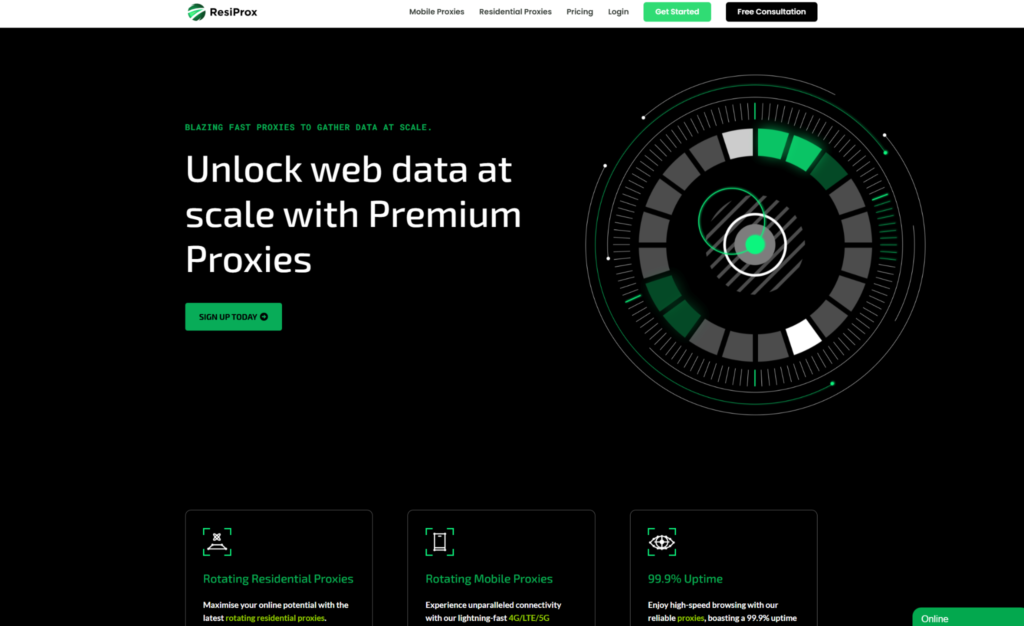
Resiprox Premium Proxies – Unlock the Web with Power and Precision
Introducing Resiprox, the ultimate proxy solution designed to supercharge your online operations. With our Residential Proxies and Mobile Proxies, you get unmatched access to web data at scale, robust security, and seamless connectivity all backed by a free trial to experience the difference firsthand.
Product Features
- Rotating Residential Proxies: Harness the power of 10M+ ethically-sourced IPs across 180+ countries. These proxies rotate dynamically to support large-scale public data collection, market research, and workflows that benefit from automatic IP rotation, delivering 99.9% uptime and precise targeting at the country, city, or ZIP code level.
- Rotating Mobile Proxies: Powered by 4G/LTE/5G networks, our mobile proxies offer lightning-fast speeds with <0.3s response times and a 99.9% success rate perfect for real-time applications.
- Global IP Network: Tap into millions of IPs, including 3.5M+ in the US, 1.8M+ in Brazil, 3.1M+ in India, and more, ensuring coverage wherever you need it.
- Advanced Capabilities: Enjoy HTTPS proxy & SOCKS5 proxy support, unlimited concurrent sessions, and flexible rotating or sticky sessions, all wrapped in premium IP quality.
Product Specifications:
- Performance: High-speed browsing with 99.9% uptime and 24/7 expert support.
- Integration: Seamlessly works with Node.js, Python, PHP, Selenium, and more, featuring a dynamic endpoint generator and robust API access.
What It’s Built For:
Resiprox proxies are your all-in-one tool for:
- Public Data Collection: Collect public web data for approved business use cases, market research, and growth insights.
- Price Monitoring: Track prices across regions in real-time.
- Multi-Account Workflows: Run separate QA, monitoring, and research workflows across multiple accounts.
- SEO & Ad Verification: Monitor rankings and verify ads globally.
- Cybersecurity: Protect your brand and test applications securely.
- Specialized Tasks: From high-volume monitoring of limited-release products to travel fare aggregation, Resiprox delivers.
Why Resiprox Stands Out:
This isn’t just a proxy, it’s a game-changer. With comprehensive documentation, multi-platform compatibility, and a team of experts available 24/7, Resiprox ensures your projects run smoothly. Whether you’re a business scaling operations, a researcher gathering data, or a developer testing apps, our proxies adapt to your needs with precision and reliability.
Resiprox Premium Proxies – Your Key to a Smarter, Faster, and More Connected Online World.
Click here to discover our :
Frequently Asked Questions
What should I buy first if I only need one proxy type for public data collection?
Buy residential proxies first for most public data collection, market research, SEO checks, and desktop ad reviews. The pool is larger and the session controls cover both rotating and sticky work on home ISP exits. Add mobile proxies later when a report must reflect carrier traffic or mobile layouts. One residential pack plus a small mobile pack is a common second step, not a day-one requirement.
Can one set of proxy credentials run HTTP and SOCKS5 at the same time?
Usually you get one username and password and different ports or protocol flags on the same ResiProx account. HTTP and HTTPS share the common web path used by browsers and many collectors. SOCKS5 often uses its own port for apps that speak that protocol. A browser extension on HTTP and a SOCKS-only app can share the same account, not the same port.
How do country, city, and ISP targeting stay accurate on a long proxy job?
Lock the country in the user string or list, then sample the exit IP during the run against your chosen proxy locations. If the country drifts, stop the workers and rebuild the list. City and ISP filters should stay off until you prove the public page changes at that level. A wide country filter with rotation is more stable than a tiny city filter with too many threads.
Do I need dedicated mobile proxies to start carrier-style testing?
No. Rotating mobile proxies are enough for many ad and app checks. Dedicated ports help when you want one endpoint, manual rotate control, and a longer hold on a single carrier path. Start rotating. Move to dedicated only if the workflow needs that control, such as a long ad verification preview that must stay on one carrier exit.
What belongs in a residential and mobile proxy buying checklist besides plan size?
Write down protocol, auth method, session mode, location filter, thread cap, and the success check you will use. Include sticky vs. rotating so the next run does not mix modes by accident. Add a note on approved use: public pages, research, price monitoring, monitoring, and QA only. That checklist is what you hand to the next person who reruns the job.
Read Also:
- Mobile proxies vs residential proxies
- Sticky proxy vs rotating proxy
- What are residential proxies
- Residential and mobile proxies for SERP scraping
- Residential and mobile proxies for ad verification
Buy residential and mobile proxies for public data collection and location-based testing on ResiProx.