

Looking for the right proxy to use with Firefox in 2025? Whether you want to mask your IP, access geo-restricted content, or run data scraping tools, the right proxy makes all the difference. Discover the best Firefox proxy in 2025
Ready to experience the best Firefox Proxy? Start your free trial today – ResiProx
- Why Use a Proxy with Firefox?
- How Firefox Proxies Work
- Top 10 Best Firefox Proxies in 2025
- How to Set Up Proxies in Firefox
- Proxy Types Explained for Firefox Users
- FAQ
- What is the best Firefox proxy extension for beginners?
- How do I manually configure a proxy in Firefox?
- Are residential proxies safer than VPNs for Firefox users?
- Can I use Firefox proxies to unblock geo-restricted sites like Netflix?
- Will using a proxy slow down my Firefox browsing?
- How can I protect my privacy using proxies in Firefox?
Why Use a Proxy with Firefox?
Firefox stands out as a privacy-focused browser that lets you set proxies easily. Using a proxy with Firefox means your web requests route through a server with a different IP address, making your real location and identity invisible to websites. This is ideal for unlocking region-locked content, testing website appearances from different countries, managing multiple social media or e-commerce accounts, and scraping data without interruption.
Residential proxies used with Firefox are especially valuable, they use IP addresses supplied by Internet Service Providers (ISPs) to actual devices like home computers or smartphones. This makes your online traffic appear very natural and trustworthy to websites, lowering the risk of IP bans or CAPTCHA. Firefox proxy extensions, like FoxyProxy, simplify managing multiple proxies by allowing you to switch IPs automatically based on the site you’re visiting.
How Firefox Proxies Work
When you set a proxy in Firefox, your browser sends all its traffic through a middleman server. This server then relays the requests to the internet, using its own IP address instead of yours. Residential proxies add an extra layer of authenticity since they assign IPs coming from real residences worldwide. Your IP can rotate automatically after a set time, or stick for longer sessions if you’re logging into accounts or running tasks that require a stable IP.
Firefox allows you to configure proxies manually via the network settings or use add-ons that provide enhanced controls. Many proxy providers support popular protocols like HTTP, HTTPS, and SOCKS5, which Firefox can handle smoothly with the right configuration.
Top 10 Best Firefox Proxies in 2025
1. 🏆ResiProx – Best Firefox Proxies in 2025 🏆

Resiprox Premium Proxies – Unlock the Web with Power and Precision
Introducing Resiprox, the ultimate proxy solution designed to supercharge your online operations. With our Residential Proxies and Mobile Proxies, you get unmatched access to web data at scale, robust security, and seamless connectivity, all backed by a free trial to experience the difference firsthand.
Product Features
- Rotating Residential Proxies: Harness the power of 10M+ ethically-sourced IPs across 180+ countries. These proxies rotate dynamically to bypass IP blocks, CAPTCHA, and deliver 99.9% uptime and precise targeting at the country, city, or ZIP code level.
- Rotating Mobile Proxies: Powered by 4G/LTE/5G networks, our mobile proxies offer lightning-fast speeds with <0.3s response times and a 99.9% success rate perfect for real-time applications.
- Global IP Network: Tap into millions of IPs, including 3.5M+ in the US, 1.8M+ in Brazil, 3.1M+ in India, and more, ensuring coverage wherever you need it.
- Advanced Capabilities: Enjoy HTTPS & SOCKS5 support, unlimited concurrent sessions, and flexible rotating or sticky sessions, all wrapped in premium IP quality.
Product Specifications:
- Performance: High-speed browsing with 99.9% uptime and 24/7 expert support.
- Integration: Seamlessly works with Node.js, Python, PHP, Selenium, and more, featuring a dynamic endpoint generator and robust API access.
What It’s Built For:
Resiprox proxies are your all-in-one tool for:
- Web Scraping: Extract public data effortlessly for insights and growth.
- Price Monitoring: Track prices across regions in real-time.
- Multi-Accounting: Manage multiple accounts without limits.
- SEO & Ad Verification: Monitor rankings and verify ads globally.
- Cybersecurity: Protect your brand and test applications securely.
- Specialized Tasks: From sneaker botting to travel fare aggregation, Resiprox delivers.
Why Resiprox Stands Out:
This isn’t just a proxy, it’s a game-changer. With comprehensive documentation, multi-platform compatibility, and a team of experts available 24/7, Resiprox ensures your projects run smoothly. Whether you’re a business scaling operations, a researcher gathering data, or a developer testing apps, our proxies adapt to your needs with precision and reliability.
Resiprox Premium Proxies – Your Key to a Smarter, Faster, and More Connected Online World.
Click here to discover our :
2. ProxyEmpire.io

ProxyEmpire.io provides a vast network of 9 million rotating IPs across over 170 countries, ensuring users an excellent geographic range and precision. Their patented system guarantees reliability with 99.86% uptime. ProxyEmpire offers granular targeting by country, region, city, and ISP, supporting both rotating and static proxies. Their dashboard is praised as intuitive, allowing users to manage multiple locations and threads with ease. The service excels in bypassing restrictions and is especially suited for high-volume tasks like data gathering, web automation, and geo-specific scraping. Users benefit from flexible pay-as-you-go plans, which meet enterprise needs for large-scale projects.
3. FoxyProxy Standard

FoxyProxy is a favorite Firefox extension widely used for managing multiple proxies with automated switching based on URL patterns. Its user-friendly interface lets you define rules for when and which proxy to use, enabling seamless browsing through various proxies without manual changes. It supports HTTP, HTTPS, and SOCKS5 protocols, ideal for diverse proxy providers. The free standard version covers basic needs, while the pro upgrade unlocks advanced features. FoxyProxy is popular with casual users and professionals for its ease and flexibility.
4. Proxy SwitchyOmega

Proxy SwitchyOmega is an open-source extension for Firefox that lets you configure proxy profiles and automate proxy switching based on page URLs or other conditions. It supports complex proxy chains and protocols like SOCKS5, HTTP, and HTTPS. Ideal for users needing custom setups, it also supports PAC (Proxy Auto-Config) scripts for advanced routing rules. Though free, it has a steeper learning curve, making it better suited for tech-savvy users.
5. Bright Data
Bright Data, formerly Luminati, boasts the world’s largest residential proxy network with 72 million IPs in 195+ countries. It’s known for enterprise-grade features such as ZIP code-level targeting, AI-powered unblocking, and unlimited concurrent sessions. Bright Data proxies provide dependable uptime (99.99%) and compliance with ethical sourcing standards. Their proxies integrate well with Firefox and are favored for tasks requiring precision and scalability, like ad verification, price comparison, and SEO monitoring.
6. Oxylabs
Oxylabs offers over 100 million IPs globally and focuses on premium proxies for enterprises. Their residential proxies feature session control, ASN targeting, and auto-retry mechanisms that reduce failures during scraping. With 99.95% uptime and high speeds, Oxylabs is suitable for data intelligence, competitive research, and e-commerce market analysis. Users benefit from dedicated account managers and customizable proxies.
7. SOAX
SOAX has over 190 million residential and ISP proxies with advanced AI routing to deliver optimal performance. It supports granular targeting options, including ASN, city, and carrier, which maximize success rates for ad tech, web intelligence, and verification tasks. SOAX’s proxies offer unlimited concurrent requests and flexible pricing plans, including unmetered bandwidth options on enterprise tiers.
8. IPRoyal

IPRoyal’s residential proxy network surpasses 32 million IPs worldwide with customizable rotation intervals up to 24 hours. Their static proxy options suit sessions requiring long-term stability. IPRoyal offers 99.9% uptime and ethical sourcing with a focus on affordability. Plans include unmetered bandwidth, making it an attractive choice for budget-conscious users who need reliable residential proxies.
9. NetNut
NetNut combines ISP residential proxies with datacenter speeds, offering over 85 million IPs worldwide. With direct ISP routing, NetNut assures low latency and high reliability. Its unlimited threads and 99.99% uptime make it great for SEO and large-scale web scraping projects, especially when fast and stable connections are critical.
10. Webshare
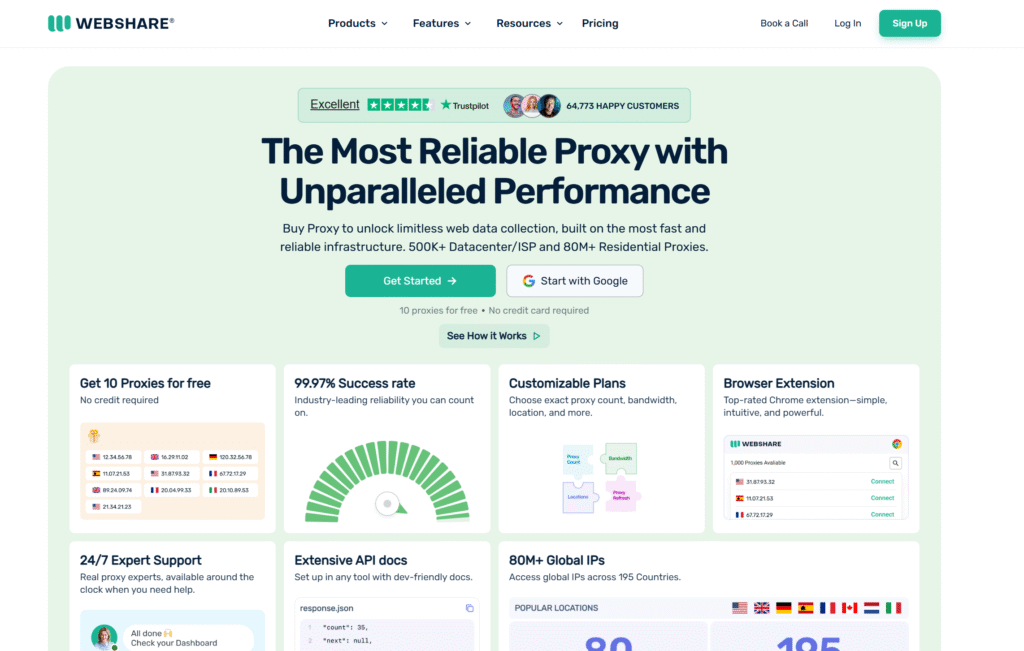
Webshare is known for affordable residential proxies with millions of IPs in over 40 countries. They support rotating and static proxy setups with unlimited bandwidth on shared plans. Webshare is easy to use, making it a perfect entry-level provider that balances cost-effectiveness with reasonable speeds and reliability, suitable for basic proxy needs in Firefox.
How to Set Up Proxies in Firefox
Setting up proxies in Firefox is straightforward. You can:
- Go to Settings > General > Network Settings and select Manual proxy configuration.
- Enter the proxy server’s IP and port number provided by your proxy service.
- Choose the proxy type (HTTP, HTTPS, or SOCKS5) depending on what your provider supports.
- Enable authentication if your proxy requires a username and password.
- Save changes, then restart Firefox to ensure settings apply properly.
Using extensions like FoxyProxy simplifies this by letting you switch proxies easily or automate which proxy applies based on URL rules. Firefox also allows disabling WebRTC, which prevents IP leaks, an important privacy measure when using proxies.
Proxy Types Explained for Firefox Users
- Residential Proxies: These provide IPs assigned by real ISPs to household devices. They are ideal for evading blocks because they look like genuine users.
- Datacenter Proxies: These come from data centers and are faster but easier to detect and block.
- Mobile Proxies: These use carrier IP addresses from mobile networks, useful for social media or apps that require mobile verification.
- Rotating Proxies: Change IPs frequently to stay under radar during large scraping jobs.
- Sticky Proxies: Hold the same IP longer for login or session stability.
Choosing the right proxy depends on your tasks. Residential proxies paired with Firefox offer a great balance of anonymity, reliability, and speed.
FAQ
What is the best Firefox proxy extension for beginners?
FoxyProxy Standard is an excellent choice for beginners using Firefox. It offers a simple interface for managing multiple proxies, enabling automatic switching based on the URLs you visit. The free version covers basic needs, including support for HTTP and SOCKS5 proxies, making it easy to set up and use without advanced technical skills.
How do I manually configure a proxy in Firefox?
To manually add a proxy in Firefox, go to Settings > General > Network Settings, then choose Manual proxy configuration. Enter the proxy server’s IP address and port number provided by your proxy service. Select the appropriate protocol (HTTP, HTTPS, or SOCKS5), add authentication credentials if required, save, and restart the browser. This setup directs all Firefox traffic through the proxy.
Are residential proxies safer than VPNs for Firefox users?
Residential proxies provide IP addresses tied to real home ISPs, making traffic appear more natural and less likely to be blocked compared to datacenter IPs or some VPNs. While VPNs encrypt all internet traffic and enhance privacy, residential proxies focus on masking IPs within a specific browser like Firefox, offering targeted anonymity, especially useful for data scraping, ad verification, or multi-account management.
Can I use Firefox proxies to unblock geo-restricted sites like Netflix?
Yes, residential proxies with city or country-level targeting can often bypass geo-restrictions on streaming platforms like Netflix when configured properly. However, success varies by region due to streaming services’ aggressive blocking. Rotating or sticky residential proxies provide a better chance to maintain access during streaming sessions in Firefox.
Will using a proxy slow down my Firefox browsing?
Some slowdown is possible due to traffic routing through an intermediary server, but high-quality residential proxy providers like Resiprox maintain very fast speeds with minimal latency. Properly selected proxies with good uptime and optimized routing ensure a smooth browsing experience in Firefox without noticeable lag.
How can I protect my privacy using proxies in Firefox?
In Firefox, disable WebRTC through about: config to prevent IP leaks when using proxies. Choose reputable proxy providers that enforce strict no-logging policies and use ethical, GDPR-compliant IP pools. Use HTTPS versions of proxies for encrypted connections. Combining these practices enhances privacy while browsing or running automated tasks with proxies.