
If you’re serious about online gaming, you know that every millisecond counts. Lag, IP bans, and regional restrictions can ruin your experience. That’s why more gamers are turning to gaming proxies, specialized tools that boost speed, privacy, and access to global servers. But which proxies are truly the best in 2026? Let’s break down the top choices, what makes them stand out, and how you can pick the right one for your needs.
Fast, secure, and lag-free gaming starts with the right proxy. Discover the 11 best gaming proxies for 2026 to boost your speed, privacy, and access-plus tips on choosing the perfect fit for your playstyle.
Discover Our Best:
- What Are Gaming Proxies and Why Do Gamers Use Them?
- Best 15 Gaming Proxies in 2026
- How to Choose the Right Gaming Proxy
- Why Proxies Matter More in 2026
- Which Proxy Type Fits a Gaming Workflow
- Are Gaming Proxies Against the Rules?
- Latest News In 2026
- FAQ
- What is a gaming proxy used for in research?
- Does a proxy change a Steam or console store country?
- Is a sticky session or a rotating session better for a store check?
- When is a mobile IP a better fit than a home IP?
- What does SOCKS5 change in a game-related test?
- What can a public price check show, and what can it not change?
What Are Gaming Proxies and Why Do Gamers Use Them?
A gaming proxy acts as a middleman between your device and the game server. By routing your traffic through a proxy, you can:
- Lower ping and reduce lag
- Access geo-blocked games and servers
- Avoid IP bans and DDoS attacks
- Stay anonymous and protect your data
- Manage multiple accounts safely
Different types of proxies residential, datacenter, ISP, and mobile offer unique benefits. For gaming, low latency and stability are key.
Best 15 Gaming Proxies in 2026
1. 🏆ResiProx – Best Gaming Proxies in 2026 🏆

Resiprox Premium Proxies – Unlock the Web with Power and Precision
Introducing Resiprox, the ultimate proxy solution designed to supercharge your online operations. With our Residential Proxies and Mobile Proxies, you get unmatched access to web data at scale, robust security, and seamless connectivity all backed by a free trial to experience the difference firsthand.
Product Features
- Rotating Residential Proxies: Harness the power of 10M+ ethically-sourced IPs across 180+ countries. These proxies rotate dynamically to support large-scale public data collection, market research, and workflows that benefit from automatic IP rotation, delivering 99.9% uptime and precise targeting at the country, city, or ZIP code level.
- Rotating Mobile Proxies: Powered by 4G/LTE/5G networks, our mobile proxies offer lightning-fast speeds with <0.3s response times and a 99.9% success rate perfect for real-time applications.
- Global IP Network: Tap into millions of IPs, including 3.5M+ in the US, 1.8M+ in Brazil, 3.1M+ in India, and more, ensuring coverage wherever you need it.
- Advanced Capabilities: Enjoy HTTPS proxy & SOCKS5 proxy support, unlimited concurrent sessions, and flexible rotating or sticky sessions, all wrapped in premium IP quality.
Product Specifications:
- Performance: High-speed browsing with 99.9% uptime and 24/7 expert support.
- Integration: Seamlessly works with Node.js, Python, PHP, Selenium, and more, featuring a dynamic endpoint generator and robust API access.
What It’s Built For:
Resiprox proxies are your all-in-one tool for:
- Public Data Collection: Collect public web data for approved business use cases, market research, and growth insights.
- Price Monitoring: Track prices across regions in real-time.
- Multi-Account Workflows: Run separate QA, monitoring, and research workflows across multiple accounts.
- SEO & Ad Verification: Monitor rankings and verify ads globally.
- Cybersecurity: Protect your brand and test applications securely.
- Specialized Tasks: From high-volume monitoring of limited-release products to travel fare aggregation, Resiprox delivers.
Why Resiprox Stands Out:
This isn’t just a proxy, it’s a game-changer. With comprehensive documentation, multi-platform compatibility, and a team of experts available 24/7, Resiprox ensures your projects run smoothly. Whether you’re a business scaling operations, a researcher gathering data, or a developer testing apps, our proxies adapt to your needs with precision and reliability.
Resiprox Premium Proxies – Your Key to a Smarter, Faster, and More Connected Online World.
Click here to discover our :
2. ProxyEmpire
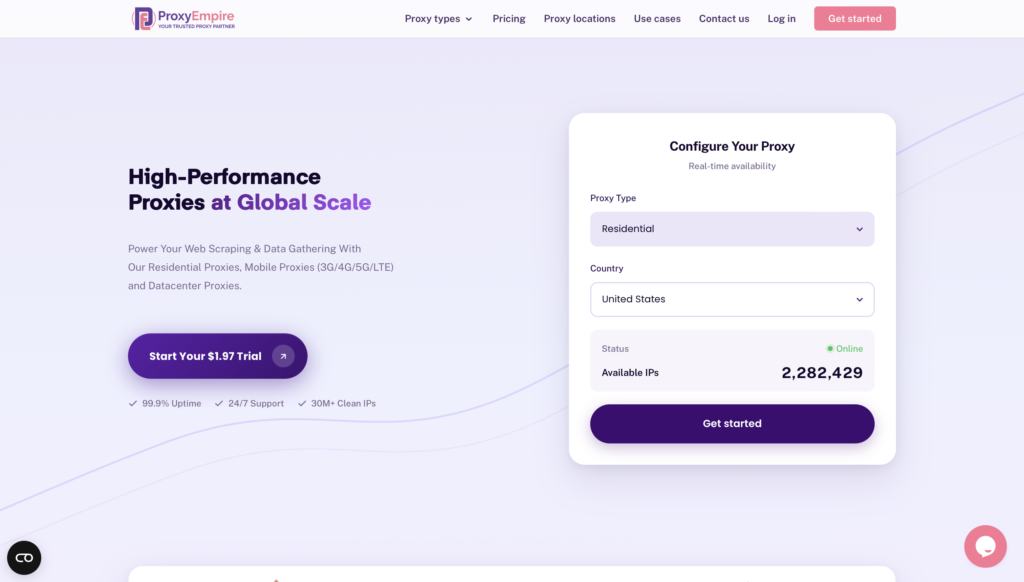
ProxyEmpire covers residential, mobile, and datacenter traffic from one dashboard, which is useful when a gaming workflow needs more than a single connection type. Rotating plans can assign a fresh address on every request, hold the same address for as long as the peer stays online, or keep a sticky session for a custom window. That split matters. Automatic rotation fits public data collection, market research, and ad verification, while a sticky session is the better match when a game client or storefront flow needs a longer, consistent connection. HTTP and SOCKS5 are both supported, so browsers and many non-browser game tools can connect without a custom bridge. Country, city, and ISP selection support location-based testing with residential IPs and let teams view public web experiences across supported locations. Unlimited concurrent sessions and round-the-clock support suit studios running separate QA, monitoring, and research workflows side by side.
3. Decodo
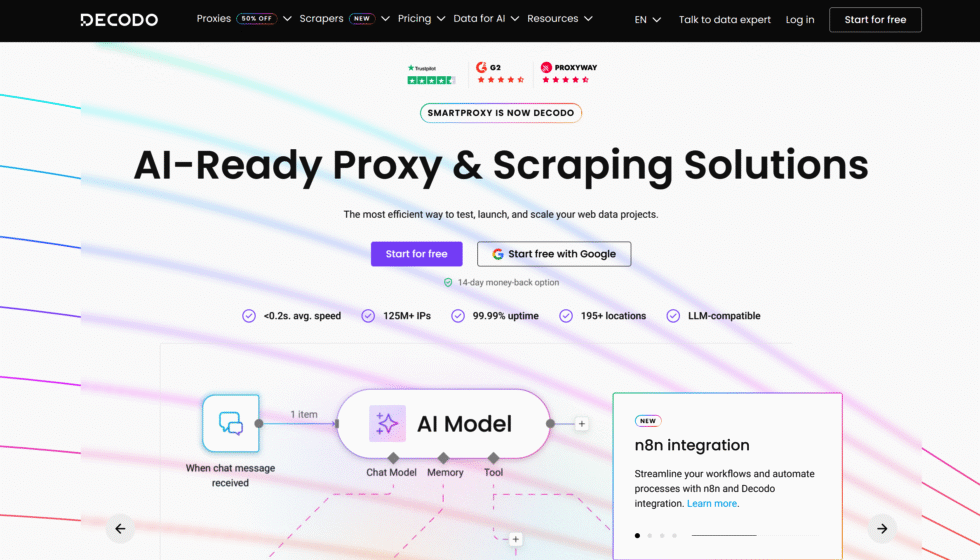
Decodo, formerly Smartproxy, is known for a broad mix of residential, mobile, and datacenter proxies aimed at teams that want self-serve setup rather than a long sales cycle. Residential and mobile traffic can rotate on each request or stay sticky for a chosen session length, which helps when a test needs either fresh addresses or one stable line. Mobile proxies run on real carrier networks, a useful option for checking how a public game page or store listing appears on cellular connections. Datacenter plans sit alongside those pools for higher-volume jobs where speed matters more than a home-network footprint. HTTP, HTTPS, and SOCKS5 are available, and the gateway accepts country, city, and carrier-level selection for location-based testing. The fit is public data collection, price monitoring, and QA across supported locations, not a one-size plan for every title.
4. Oxylabs
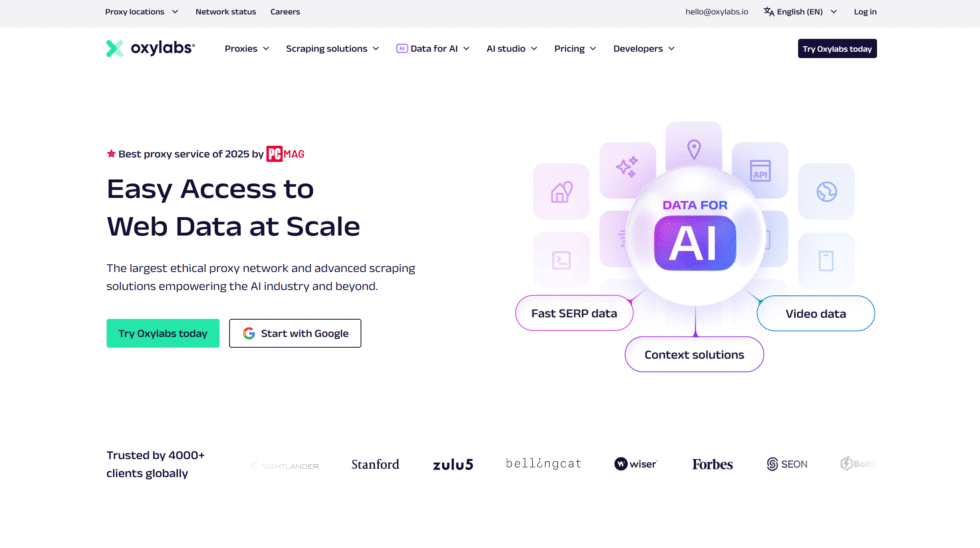
Oxylabs is built for larger operations that need residential, mobile, datacenter, and ISP proxies under one account. Routing tools and a wide set of locations make it a common pick for professional studios and data teams that run many parallel jobs. Sessions can rotate on every request or stay sticky, so a short research call and a longer monitoring session can live on the same product. SOCKS5 support is relevant for game clients and automation that do not speak plain HTTP. City and country selection supports location-based testing with residential IPs, including checks of public store pages and patch notes across supported locations. Sub-user controls help teams separate QA, monitoring, and research workflows without sharing one login. Support is staffed by people rather than a ticket bot alone, which matters when a live test cannot wait until the next business day.
5. Bright Data
Bright Data, formerly Luminati, offers residential, ISP, datacenter, and mobile proxies with a control layer aimed at companies that already run structured data programs. Residential traffic comes from opted-in devices, while ISP proxies pair a residential-style registration with datacenter-grade speed, a combination some teams use when a session must stay put. Sticky sessions are available when a flow needs the same address for more than a single request, and rotation covers collection jobs that benefit from a changing exit. HTTP, HTTPS, and SOCKS5 are supported across the main products. Location selection supports viewing public web experiences across supported locations, including storefronts and public game pages. The platform is heavier than a simple proxy list, which suits ad verification, price monitoring, and market research more than a casual weekend setup.
6. IPRoyal
IPRoyal is often chosen by smaller teams that want residential, ISP, datacenter, and mobile options without a steep starting commitment. Residential traffic can rotate on each request, hold a sticky session, or be rotated by hand, which gives testers control during a live check. SOCKS5 and HTTP both work, so a game launcher and a browser-based store can share the same provider. Country and city selection support location-based testing with residential IPs and let a team view public web experiences across supported locations. Non-expiring traffic on some plans is a practical detail for studios whose testing comes in bursts rather than a steady monthly load. The overall profile fits cost-aware QA, monitoring, and research workflows where reliability matters and the buying process should stay simple.
7. SOAX
SOAX focuses on residential and mobile proxies with flexible session controls and clean carrier or home addresses. Sticky sessions can be tuned, including options that keep a session strict and replace an address only when you ask, which is useful when a game-related test must not change mid-flow. Rotation still covers public data collection and market research that benefit from automatic IP changes. SOCKS5 is supported, and some plans add UDP, which a few real-time applications need beyond ordinary web requests. Country, city, and ISP selection support location-based testing and viewing public web experiences across supported locations. The dashboard is built for ongoing monitoring rather than a one-off connection, so it fits teams running separate QA and research workflows that need the same setup tomorrow as today.
8. Webshare
Webshare is the budget-conscious option in this set, with datacenter proxies as the core product and residential proxies for jobs that need a home-network footprint. Shared and dedicated datacenter addresses can be filtered by country, and the panel is simple enough for a small studio to manage without a dedicated ops hire. Residential traffic can rotate or hold a session for as long as the address stays available. HTTP and SOCKS5 access, plus IP allowlisting and sub-users, make it practical to split QA, monitoring, and research workflows across a team. It will not match a specialist mobile network for carrier-level checks, but for affordable, flexible connections used in price monitoring, ad verification, and general location-based testing, it is a straightforward place to start.
9. NetNut
NetNut is known for fast residential proxies and a direct-connection model that keeps response time in mind, which is why studio testers look at it when a steady path matters. Sessions can rotate on each request or stay in place for as long as the address remains available, with longer session options for flows that should not change mid-test. Country, state, and city selection support location-based testing with residential IPs and viewing public web experiences across supported locations. HTTP, HTTPS, and SOCKS5 are available, so both browser tools and many game clients can connect. Real-time management in the dashboard helps teams adjust a live QA or monitoring run without waiting on a support ticket. The profile fits fast, steady connections for research and approved public data collection more than a bargain shared list.
10. Infatica
Infatica centers on residential proxies with a privacy-first pitch and flexible pricing for teams that do not want a single rigid package. Rotation can run on a timer or be triggered by hand, and strict session options help when a test should keep one address until the job ends. Country, city, and ISP selection support location-based testing and let researchers view public web experiences across supported locations. HTTP, HTTPS, and SOCKS5 are supported, with IP allowlisting for offices that prefer not to pass a password into every tool. The service is a reasonable fit for private research, ad verification, and separate QA or monitoring workflows where data protection matters as much as reach. It is less of a specialist gaming stack and more of a general residential network that can still carry a game-related test.
11. Proxy-Seller
Proxy-Seller sells IPv4 and IPv6 datacenter proxies, ISP proxies, rotating residential proxies, and mobile proxies, so buyers can match the address type to the job. Static IPv4, IPv6, and ISP plans are rented for a set period and suit longer sessions that need the same endpoint. Residential plans fit public data collection and market research that benefit from rotation, while mobile plans cover carrier-based checks. Each order can use a username and password or an IP allowlist, and both HTTPS and SOCKS5 ports are provided, which matters for game clients that expect SOCKS5. Country selection supports location-based testing and viewing public web experiences across supported locations. A published API with several language kits helps studios plug the proxies into existing QA and research workflows instead of copying endpoints by hand.
12. Rayobyte
Rayobyte, formerly Blazing SEO, is based in Lincoln, Nebraska. It sells datacenter, ISP, residential, and mobile proxies, with static datacenter inventory in many American cities, including Los Angeles, Chicago, Dallas, and New York. Residential traffic can rotate on each request or hold a session. Rotation fits public data collection and market research. A sticky or static address fits a longer, consistent session for QA or a store check. HTTP and SOCKS5 are available, with username or IP allowlist access.
- Datacenter, ISP, residential, and mobile proxy types
- Rotating sessions and longer sticky or static sessions
- HTTP and SOCKS5 support
- Username and password or IP allowlist authentication
- Static datacenter inventory in many US cities
- Fits ad verification, price monitoring, and location-based testing with residential IPs
13. Massive
Massive is a United States company focused on residential proxies and dedicated ISP proxies, with the ISP list limited to American addresses. Traffic uses a gateway. Residential sessions can change on every request or hold one address for a chosen window. HTTP, HTTPS, and SOCKS5 are supported. Country, state, and city selection supports location-based testing and viewing public web experiences across supported locations. ISP plans suit longer sessions. Residential plans suit public data collection and price monitoring.
- Residential proxies and US dedicated ISP proxies
- Gateway access with rotating or sticky sessions
- HTTP, HTTPS, and SOCKS5 support
- Country, state, and city selection
- Concurrent use for separate QA, monitoring, and research workflows
- ISP addresses for a longer, consistent session
14. IPBurger
IPBurger offers residential, mobile, and ISP proxies for teams that want carrier or home-network addresses. Residential and mobile traffic can rotate or stay on a sticky session, so a short research call and a longer storefront check can share one provider. SOCKS5 and HTTP support browsers and many game clients. Country and city selection supports location-based testing with residential IPs. Mobile plans fit cellular QA. ISP plans fit workflows that need the same address for a longer, consistent session.
- Residential, mobile, and ISP proxy types
- Rotating and sticky session options
- HTTP and SOCKS5 support
- Country and city selection
- Mobile plans for carrier-based QA
- Useful for viewing public web experiences across supported locations
15. Storm Proxies
Storm Proxies focuses on private dedicated proxies and rotating residential ports, with a strong emphasis on United States connections. Dedicated proxies keep one address in place for QA, monitoring, and research that should not change mid-session. Rotating residential ports assign fresh addresses over time, a fit for public data collection and market research. HTTP and SOCKS5 are commonly used, and access is tied to the ports you are issued. The setup stays simpler than a large enterprise dashboard.
- Private dedicated proxies and rotating residential ports
- Stable endpoints for longer sessions
- Automatic rotation for public data collection
- HTTP and SOCKS5 on issued ports
- United States connection focus
- Self-serve setup for smaller monitoring workflows
How to Choose the Right Gaming Proxy
When picking a proxy for gaming, focus on:
- Low latency: Look for proxies with servers near your game’s servers.
- Uptime: Aim for 99.9% or higher.
- IP pool size: Bigger pools mean more choices and less chance of bans.
- Protocol support: SOCKS5 is best for gaming.
- Customer support: Fast help is a must if you run into issues.
Pro Tips for Gamers
- Always test with a free trial before committing.
- Check if your proxy supports sticky sessions for games that require a stable IP.
- Rotate your IPs if you manage multiple accounts or play in tournaments.
Why Proxies Matter More in 2026
With more games using strict anti-cheat systems and regional content locks, proxies are now a must-have for competitive and casual gamers alike. The global gaming market is expected to hit $256 billion by 2026, and with that growth comes more security risks and regional restrictions. Using a trusted proxy is one of the easiest ways to stay ahead.
Which Proxy Type Fits a Gaming Workflow
A gaming proxy is not one tool. The right type depends on the job. A public store page, a mobile game listing, and a long QA session do not want the same IP. Residential proxies are the usual match when a public game store should look like a normal home connection.
Residential proxies come from real household internet. Game stores and public catalogs often treat that kind of IP as an ordinary visitor. That is why teams use them for price monitoring, ad verification, and location-based testing with residential IPs. A country or city setting matters, because a store page can change with the place the visit comes from. Proxy locations cover many countries, so a research check can match the market being read.
A few practical splits:
- Rotating residential proxies fit large-scale public data collection, market research, and workflows that benefit from automatic IP rotation. Each request can leave from a different home IP. That suits many separate store pages or item listings. A rotating residential proxy is the path for those one-off reads.
- Sticky residential proxies hold one IP for a set window. A longer, consistent session is the better fit when a test has to keep cookies, a cart view, or a multi-step store path on the same address. The sticky proxy vs rotating proxy choice is about session length, not about speed.
Mobile proxies ride on 4G, LTE, and 5G carrier networks. They fit mobile game stores, app listings, and checks where the page expects a phone connection. A mobile proxy is the closer match for a mobile store test than a home IP. Some teams use a 4G mobile proxy when the workflow is tied to a carrier path. A dedicated 4G proxy keeps that carrier path steadier for a longer test.
ISP proxies sit between a home IP and a data-center IP. They are often static, so one identity can stay in place. ISP and datacenter proxies differ on that point: an ISP address looks closer to a consumer line, while a datacenter address comes from a hosting network. A rotating ISP proxy can still change, but the base network stays on the ISP side.
Datacenter proxies are fast and simple. They fit soft, public pages and early tests. Many game stores treat hosting IPs differently from home IPs, so a store price read or a live catalog check is a weak fit. They belong on open pages that do not care where the visit comes from.
Protocol is a separate choice. Many game-related tools speak SOCKS5 as well as HTTP. A SOCKS5 proxy can carry traffic that is not plain web, which is why some desktop checks use it. The proxy hostname is the address entered in the client, next to the port and login. A Windows proxy setup is common for PC store checks. A phone test is a different path. A Roblox session is its own case. A Roblox proxy only changes the connection. It does not change the platform rules around that session.
Are Gaming Proxies Against the Rules?
Proxies are legal. A proxy sends traffic out through another IP. That is a network tool. Game platforms write their own rules on top of that, and those rules decide account risk. Two uses sit in different places.
Viewing a public store page, reading a public price, checking an ad, or running a QA pass on a live event page is ordinary research. Teams do this to see how a public page looks from a supported location. Location-based testing with residential IPs is that kind of work. So is collecting public web data for approved business use cases.
Buying at another region’s price is different. In 2026, major stores tie the account to where the player lives and how they pay. A connection from another place does not, by itself, move the store country. Steam’s subscriber agreement, updated in September 2026, says the user will not use a proxy or another method to mask place of residence, whether to get around a location limit or to buy at a price that does not apply to their country. Valve can close the account if that rule is broken. PlayStation’s terms, revised in April 2026, ask for a true address. False account details can lead to a suspension, and paid items can become unreachable. Microsoft’s services agreement, published in July 2026 and in effect at the end of September 2026, warns that a change in the place linked to the account may mean buying products again that were paid for in the earlier region.
Multi-account play is a platform-rules question, not a legal one in most cases. Some games allow separate QA or research logins. Many games do not allow extra play accounts. A proxy can keep those sessions on separate IPs. It does not change the game’s terms. Separate QA, monitoring, and research workflows are the compliant frame. Play that breaks a game’s rules stays a platform risk.
Anti-cheat is wider than the IP. Studios look at the device, the input, and how the session behaves. A June 2026 note from PUBG’s anti-cheat team described stronger action on abnormal input devices on console, and said fair-play checks are not limited to one signal. A clean IP does not speak for the rest of the session.
A short way to sort the work:
- Public store reads, ad checks, and localization QA stay on the research side.
- Masking residence to pay a price meant for another country sits against store terms.
- Extra play accounts sit against many game terms, even when the IP is clean.
- Anti-cheat looks past the connection, so the IP is only one part of the session.
ResiProx residential proxy and mobile proxy paths are built for the research side: public pages, market research, and location-based testing.
Latest News In 2026
Store rules got clearer this year, and they now name the connection itself. Residential and mobile proxies still fit public research. They do not move an account into another store country.
Steam updated its subscriber agreement in September 2026. The text bars a proxy, or any other method, used to mask where the player lives. That covers location limits and a price that does not apply to the player’s country. The same agreement says a broken rule can end the account. Steam’s help pages still tie the store country to the place the player lives, and to a local way to pay. A different exit IP does not rewrite that country.
Console stores moved in the same direction. PlayStation’s terms, in the April 2026 revision, ask for accurate personal details, including the address. False details can suspend the account. Paid digital products can drop out of reach with that suspension. Microsoft published a services agreement on July 30, 2026, in effect from September 30, 2026. It warns that a change in the place linked to the account may mean buying again products that were paid for in the earlier region.
Fair-play systems also widened what they watch. In a June 2026 letter, the PUBG anti-cheat team said console checks on abnormal input devices had grown stricter, with permanent account action where that use is confirmed. The letter also said later system work would aim to spare legitimate players. The signal they describe is the device and the input, not the IP alone.
What that means for a research workflow is simple. Public price monitoring and ad verification still read the page a visitor from that place would see. A buy residential proxies setup is the common path for those home-IP reads. A buy mobile proxies setup is the closer path when the page is a mobile store. Neither path changes the payment country on the account, and neither path replaces a game’s own rules.
FAQ
What is a gaming proxy used for in research?
A gaming proxy is a way to read a public game page as a visitor from a supported location. Research teams use it for store listings, patch notes, public marketplace rows, and the text or currency format on a live event page. The same proxy setup supports ad verification when an in-game or store ad has to be checked in the market where it is meant to run. Residential proxies are the common path for those home-IP reads, because the page is judging a normal household connection. The result is a record of the public page. It is not a play session, and it does not rewrite the country saved on an account.
Does a proxy change a Steam or console store country?
A proxy changes the exit IP of a visit. It does not change the country stored on a Steam, PlayStation, or Xbox account. That country follows the player’s residence and the payment method, wallet, or local billing details tied to the account. A fresh browser visit can show another market’s public price, while the logged-in account still checks out in its own country. Gifts and keys often carry their own location limits, so a key bought for one market can refuse to activate on an account from another. An IP address lookup confirms the exit address of the visit, which is a separate fact from the country on the account.
Is a sticky session or a rotating session better for a store check?
A one-page price read can use a rotating session, because each listing stands alone. A path that opens a title, keeps a cookie, and then loads editions or add-ons needs the same IP for that short chain. If the IP changes in the middle, the store can drop the cart state or show a mixed page. Sticky residential proxies hold one home IP for a set window, which is the match for that chain. A rotating residential proxy fits a wide sweep of separate public pages, where no cookie has to survive from one request to the next. The session ID in the proxy login is what holds or releases that IP.
When is a mobile IP a better fit than a home IP?
A home IP fits a desktop store page. A mobile IP fits a page or app that expects a phone on a carrier network. Mobile game stores, carrier-billed listings, and in-app store screens are the usual case, because the visit comes from a 4G, LTE, or 5G path rather than a household line. A mobile network proxy is that carrier path. A mobile internet proxy is the same idea when the check is the phone’s web view rather than a desktop browser.
What does SOCKS5 change in a game-related test?
SOCKS5 proxy is a transport, not a store setting. Some desktop tools and launchers speak SOCKS5 when the traffic is not plain web HTTP proxy. HTTPS proxy still fits a normal store page in a browser. A SOCKS5 proxy matters when the client asks for it, with the same proxy hostname, port, and login the client expects. It does not move a store country, and it does not change a game’s rules. A Windows proxy check is where that protocol choice usually shows up, because the PC client is the piece that has to accept the login.
What can a public price check show, and what can it not change?
A public price check shows the price, currency, and edition list on the store page for that visit. Publishers set those prices by market, so the same title can look different from one supported location to another. If a currency is missing, the title can be absent from that market’s store rather than simply cheaper. The check cannot apply that listed price to an account whose payment country is somewhere else, and a region-locked key can still fail on the wrong account. Proxy locations are how a research read lines up with the market on the page. ResiProx residential and mobile paths cover that public read. They leave the account country and the game’s own rules where they already are.